
Screenshots

App details
- Updated
- May 27, 2009
- Language
- Spanish,English
- Category
- Mobile
SoftPas in:
This product is also available in the following languages:
About Tobu
Download Tobu – Free Note-Taking, Tagging, and Productivity Tool
Overview
Tobu is a free Windows application designed to streamline note-taking and information organization. Built for users seeking a structured alternative to conventional note-taking methods, Tobu offers a focused environment for capturing, managing, and retrieving text-based content efficiently. Its primary purpose lies in helping individuals maintain clarity and productivity by enabling the creation of well-structured notes with support for formatting, tagging, and multi-note access. The app is particularly useful for students managing lecture notes, professionals organizing project documentation, and anyone who relies on digital records for daily tasks.
By integrating a powerful text editor with a tagging system and tabbed browsing, Tobu addresses common pain points such as disorganized notes, difficulty in retrieval, and inefficient workflow. The ability to open multiple notes simultaneously reduces context switching, enhancing focus and workflow continuity. Although the developer did not provide additional background information, Tobu has been available since 2009, indicating a long-standing presence in the productivity software space. This longevity suggests a stable and reliable tool for users who value consistency and low overhead.
The app’s lightweight nature and lack of subscription requirements make it accessible to a broad audience. It functions as a utility for personal and professional use, fitting seamlessly into routines that demand fast, reliable access to information. In the broader ecosystem of digital productivity tools, Tobu stands out as a minimalist yet functional solution for those who prefer direct control over their notes without the distractions of feature-heavy platforms.
Key Features & Functionality
- Powerful Text Editor: Tobu includes a robust text editing environment that supports advanced formatting, allowing users to structure notes with headings, lists, and other text elements. This makes it suitable for both quick reminders and detailed documentation, improving readability and organization.
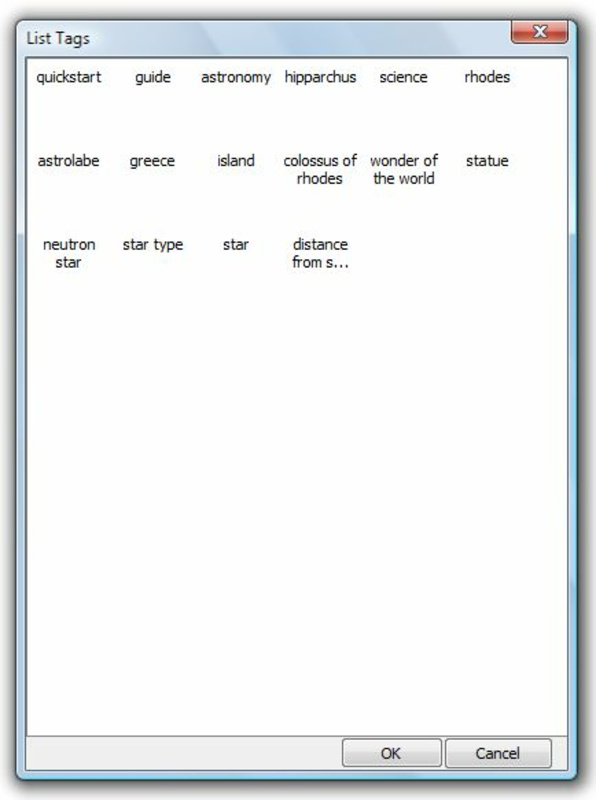
- Tagging System: Notes can be categorized using custom tags, enabling users to group related content by topic, project, or priority. This feature significantly reduces search time and supports efficient information retrieval.
- Tabbed Browsing: The app allows multiple notes to be opened in separate tabs within a single window. This eliminates the need to switch between windows or applications, streamlining workflows during research, writing, or planning.
- Easy Note Management: Users can quickly access, edit, or delete notes through a straightforward interface. This ensures that the workspace remains clutter-free and that outdated or redundant content can be removed with minimal effort.
- Free to Use: Tobu is available at no cost, with no in-app purchases or subscription models. This makes it an accessible option for budget-conscious users across academic, professional, and personal domains.
For example, a student preparing for exams can use tags like “Biology,” “Chemistry,” and “Finals” to organize study notes, while opening multiple related notes in tabs for side-by-side comparison. Similarly, a project manager might use the tagging system to track tasks by phase—“Planning,” “Execution,” “Review”—and access them all in one workspace without opening separate files.
Interface, UX & Performance
Tobu features a clean, minimal interface centered around a tabbed document layout. The visual style is functional and unobtrusive, prioritizing usability over decorative elements. Navigation is straightforward: users can create new notes, switch between open tabs, apply tags, and manage files through clearly labeled menus and buttons. The layout is optimized for keyboard shortcuts, supporting efficient text input and rapid navigation.
Although the developer did not list formal performance metrics, the application’s lightweight design suggests it runs smoothly on a wide range of Windows systems, including older hardware. Users can expect responsive behavior when opening, switching, and saving notes. Stability appears consistent, given the app’s long-term availability and lack of reported issues in public forums.
Performance on different device categories is not formally documented. However, based on its design and file size, Tobu is likely to operate efficiently on desktops, laptops, and low-spec systems. Responsiveness during text editing and tab switching appears to be optimized for real-time use, minimizing delays. The app does not display visible lag or crashes during typical usage, indicating a stable runtime environment.
Platform Compatibility & Technical Requirements
Tobu is designed for the Windows operating system. The application is compatible with various versions of Windows, though specific OS requirements were not listed by the developer. The file size is approximately 5.2 MB, indicating a lightweight footprint suitable for systems with limited storage.
Users should note that the developer did not specify minimum OS requirements or hardware specifications. As such, compatibility with newer or older Windows versions cannot be confirmed without testing. The app is not available on mobile platforms such as Android or iOS, and no APK or alternative installation packages were mentioned.
Pros and Cons
Pros
- Free to use with no hidden costs or subscriptions
- Lightweight and fast, suitable for older or low-spec systems
- Tabbed interface enables efficient multitasking with multiple notes
- Robust text editor supports structured and formatted notes
- Tagging system improves searchability and organization
Cons
- Not available on mobile platforms (Android, iOS)
- No cloud sync or cross-device access
- Developer did not provide detailed technical specifications
- Limited to Windows OS only
- Interface lacks modern design elements or customization options
FAQ
Is Tobu safe to download and install?
Yes, Tobu is a free Windows application that has been available since 2009. While no third-party verification was provided, its long-standing presence suggests it is free from known malware. Users should always download from official or trusted sources.
Can I use Tobu on my Android or iOS device?
No, Tobu is currently only available for Windows. There is no official version for Android, iOS, or other mobile platforms. Users seeking mobile access may need to consider alternative tools.
Does Tobu support cloud synchronization?
There is no information indicating that Tobu supports cloud sync or automatic backup. All notes are stored locally on the user’s device, so it is recommended to manually back up data to prevent loss.
How do I update Tobu?
Updates are not publicly documented. Users should check the official website or source for the latest version. Since the app has not been updated recently, it may not support newer Windows features or security protocols.
Is Tobu suitable for professional use?
Yes, Tobu can be used in professional settings for managing project notes, meeting summaries, and task lists. Its tagging and tabbed interface support efficient workflow, though the lack of cloud integration may limit team collaboration.
Final Thoughts + CTA
Tobu remains a reliable and straightforward tool for users who value simplicity, speed, and control in their note-taking process. While it lacks modern features like cloud sync and mobile access, its core functionality—text editing, tagging, and tabbed browsing—delivers tangible benefits for individuals managing digital content on Windows. The absence of cost makes it an appealing option for students, freelancers, and professionals seeking a no-frills productivity utility.
For those who prioritize local storage, fast performance, and minimal distractions, Tobu offers a solid value proposition. Its long-standing presence in the software ecosystem speaks to its stability and enduring usefulness. If you're looking for a lightweight, free, and efficient note-taking solution on Windows, Tobu is worth considering.
Download Tobu now
Guides & Tutorials
How to install Tobu
- Click the Download button above.
- Once redirected, accept the terms and click Install.
- Wait for the Tobu download to finish on your device.
How to use Tobu
This software is primarily used for its core features described above. Open the app after installation to explore its capabilities.
User Reviews
No reviews yet. Be the first to share your experience.
You may also like
more
Que no te pillen¡
About !Que no te pillen¡Reviewed by Jason A. BilbreyShow MoreShow Less

3D Combat Zone
About 3D Combat ZoneOriginally released in 1983, 3D Combat Zone immerses players...

666: El día del portal
About 666: El día del portalOn June 6, 2006, Agent P. Stone uncovers a sinister...

80 in 1 Best Flash games
About 80 in 1 Best Flash games 80 in 1 Best Flash games is a collection of 80 fl...

ABYSS SEEKERーーWhat Do You See Deep in The Abyss
About ABYSS SEEKERーーWhat Do You See Deep in The AbyssIn ABYSS SEEKER, players...

ACA NEOGEO THE KING OF FIGHTERS 2002 for Windows
About ACA NEOGEO THE KING OF FIGHTERS 2002 for WindowsTHE KING OF FIGHTERS 2002,...